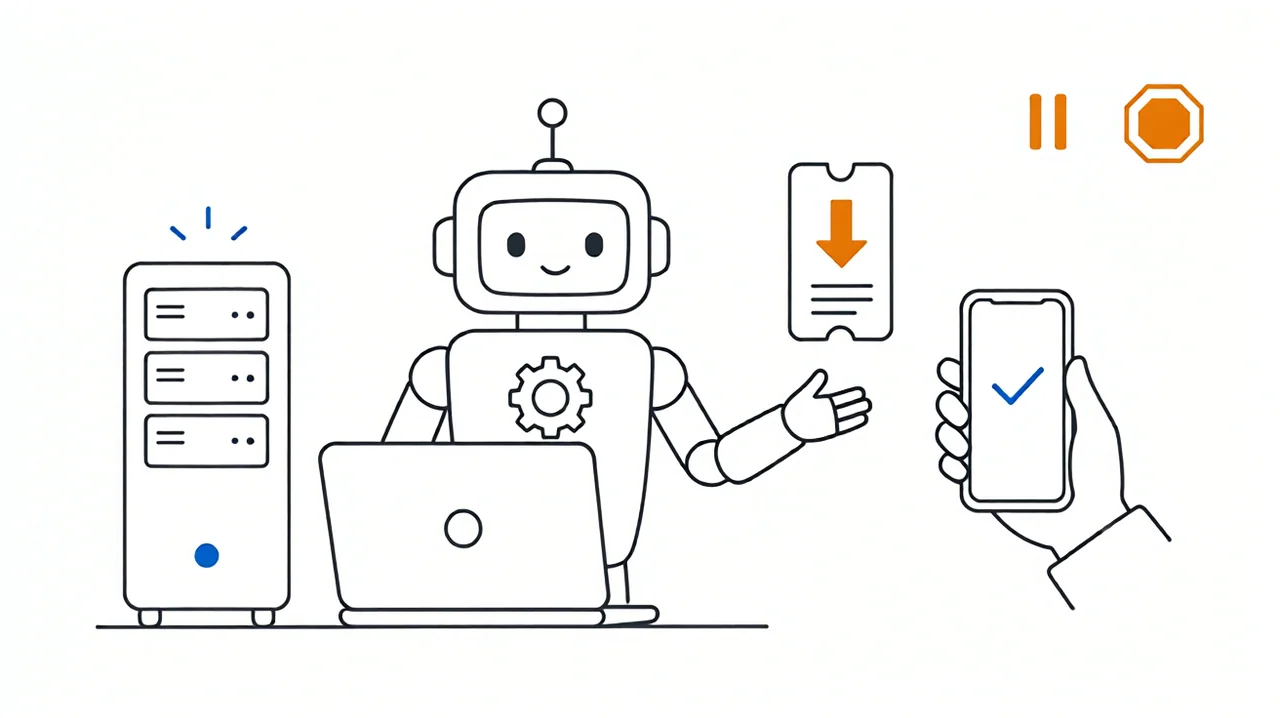
Personal Agents: What They Are, Where They Stand, How to Choose
Personal agent research: how it differs from chatbots, a five-level autonomy scale, what today's products really do, and the four layers a full build needs.
Contents
What a PA is
0 · The short answer
1 · What a PA is
2 · Chatbots, task agents, and PAs
Core abilities
3 · Core abilities of a PA
4 · Speaking up and acting
5 · Who approves an action
The PA market
6 · How far today's products go
7 · Comparing the products
Choosing and improving
8 · How users should choose
9 · Problems and next steps
Sources
Appendix A · Sources and evidence
Appendix B · Glossary
0The short answer
Permissions are what separate a chatbot from a personal agent.When a chatbot gets something wrong, the user reads a bad sentence. When a personal agent gets something wrong, the user faces an action that has already been taken. To tell which category a product belongs to, check whether it has its own runtime environment, whether it can keep working after the user walks away, and whether it can carry a multi-day task.
Meta's most instructive design choice was to take "should this be done at all" out of the model's hands.Muse locks the working model and its tools inside an isolated room and puts a separate gatekeeper outside to approve outbound actions. The model only ever holds a fake key; the real credentials stay outside the room, where even the model cannot read them.
The hardest part of proactive notifications is teaching the system to stay quiet.Meta's launch page is explicit that the assistant comes back to the user in only two cases: something changed, or an action needs approval. Too many messages and people turn notifications off, which defeats the product, so the number of notifications should be treated as a cost to be tightly controlled.
WorkBuddy is good at finishing office tasks at a scheduled time.The official documentation is clear: a task is woken up only at its configured time, and connectors do not watch for outside changes on their own. It is a safe bet for daily briefings, documents, and message pushes; anything that must react the moment an external event arrives needs a different approach.
No single open-source project reaches the highest level of personal agent on its own.A researcher has to assemble four things: keeping the task alive, giving the long-term goal an explicit definition of done, letting the model schedule its own re-checks, and getting real-world actions approved outside the model. Different projects excel at one layer each; only the combination approaches a complete form.
Three unrelated products ran into the same conflict.If the system is to run unattended, per-action approval prompts go unanswered; and to get around the prompts, designers often end up turning approval off entirely. A more sensible third path is to give each approval a bounded waiting window and treat a timeout as a no.
1What a PA is
The term here is personal agent, abbreviated PA. Start with a hypothetical scenario: you say once, "watch this flight's fare and book it if it drops below a certain price," and then you leave it alone for days. The software checks prices repeatedly on its own, and when the price is right it comes back to ask whether to book; only after you agree does it actually pay. Throughout, you know what it is doing and can stop it at any time.
Three things in that scenario are worth noticing: you only briefed it once, the software decided when to check again, and it came back for permission before spending money. This report turns those three points into conditions you can check one by one, and you can use them to judge any product that calls itself a personal agent.
| Condition | What it means | Why it matters |
|---|---|---|
| It has its own territory | The software has its own runtime environment, browser, and file space; the window the user sees is only one layer of interaction. | Only then does work in progress survive the end of a conversation. |
| It keeps running after you leave | Waking the task is the job of a resident background process; the model only takes part once woken. Closing the interface does not stop execution. | This is how you verify that "background work" is real. |
| It owns a long-running responsibility | The software remembers the goal, progress so far, and the re-check schedule, and can pick up again days later without being briefed again. | This is what separates it from a one-shot question-and-answer tool. |
2How a PA differs from a chatbot or a task agent
A great deal of software is labelled an "AI assistant." To keep things clear, this report sorts it into three groups: chatbots, task agents, and personal agents. The grouping is our own; vendor documentation has no equivalent classification.
| Dimension | Chatbot | Task agent (assistant) | Personal agent (PA) |
|---|---|---|---|
| Who speaks first | The user asks, it answers | The user gives an instruction, it delivers the result | It comes back to the user when something changed or an approval is needed |
| Where the work runs | Inside a conversation | Inside one task; it ends when the task does | An always-on environment that keeps going after the interface is closed |
| What it delivers | An answer | A document, a table, or a query result | A goal advanced over several days, with progress reports along the way |
| Cost of a mistake | The reader sees a bad sentence and fixes one line | One result has to be redone | An email may already be sent, a calendar may already be changed |
| Who approves an action | Not applicable | The user clicks confirm once | Standalone rules approve each action; the model never holds credentials |
A task agent can also generate documents and push messages, but it needs a fresh instruction each time, its work ends with the task, and it does not watch for outside changes, so it stops at levels one and two on the scale in the next chapter. That is why many products look like PAs and yet always seem to fall short in use.
3Core abilities of a PA
Five levels of initiative
"Initiative" is a matter of degree. The scale below shows who decides when the system comes back to the user: the user, an external event, or the software itself.
The user sends a line, the software sends a line back.
The user picks a daily time; the system pushes a briefing on schedule.
A new email arrives or a price changes; the system wakes up and checks.
After a round, the software decides to look again in half an hour.
The goal has an explicit definition of done, and actions happen only after independent approval.
This five-level scale is our own construction, meant to make products easy to compare side by side; vendor documentation has no equivalent grading.
Alarm: what wakes it
The system first needs a way to be woken. A scheduled time, a new email, or a change on a web page can all serve as the alarm.
Duty room: where the work continues
Once awake, it needs somewhere to keep working. That background room must stay open; closing the interface on a phone or computer must not affect it.
Gatekeeper: who lets it through
Finally, someone has to decide whether this round sends a single message or actually sends the email on the user's behalf. The two carry very different costs.
4Speaking up and acting
Path one: send a message
This path spends the user's attention. A wrong message reads as a puzzling interruption; a few of those and the user turns notifications off, after which genuinely important messages never get through.
So it is allowed in only three cases: something really changed, a decision must be made by a person, or there is a result a person can use.
Path two: actually do something
This path spends permissions, accounts, and money. An email cannot be recalled once sent, and a calendar change can send someone on a wasted trip, so the default posture should be to do nothing.
The system may act only when standalone rules explicitly allow it and the permission matches this one action.
A notification must pass four filters
Confirm the trigger came from a scheduled time or a real event. Polling on a timer is allowed only when no push source exists, and the polling rate must be capped.
The system compares what it saw this time with last time in a definite way; if nothing changed it stops right there, without even waking the model.
Only three cases get through: a person needs to act, the result is usable, or approval is needed. "I have a suggestion" should be off by default.
The system remembers what it already reported, and caps repeats on the same item, nighttime interruptions, and triggers per project.
Vendors have already changed course
In September 2025, OpenAI launched a morning briefing: every night the system read through chat history, memories, and connected apps, and the next morning it pushed a handful of cards. According to third-party coverage, the feature was later pulled back to a form where the user sets what to check and when. DeepSeek states the same idea more bluntly in an open-source prototype: the software acts only when someone asks or when team-written rules allow it, and speaks up only when a person must do something or a result is usable.
5Who approves an action
Write "do not send email casually" into a prompt and the model may misread it, or be led astray by hostile text on a web page; put the same rule in a separate process and no amount of reasoning can get around it. This report calls that "keeping the rules outside the model," and it is exactly the idea behind the Muse gatekeeper described in chapter 6.
Sending messages, writing files, and reaching external services are all forbidden to begin with, then opened item by item for a specific task.
The model holds only a reference token; the real credential is filled in at the boundary on its behalf, and only the token shows up in logs.
The user's consent is scoped precisely to "send this email to this person" and expires after a single use.
The confirmation box does not appear inside the chat window, and the "agree" the user clicks does not pass through the model.
The system records what it did and what it intends to do in a tamper-evident log the user can inspect at any time.
Unattended running collides with per-action confirmation
The three products below are unrelated, yet all ran into the same problem: the software is meant to work while nobody is watching, so nobody clicks a per-action popup; and to keep it running, designers often switch approval off altogether.
| Product | What it ran into | Outcome |
|---|---|---|
| WorkBuddy | The official documentation states that when nobody is at the computer, tasks needing confirmation stay waiting indefinitely; the vendor therefore lists "no per-action confirmation" as the recommended setting for unattended use. | To run automatically, you give up per-action confirmation. |
| OpenClaw | The script that watches for external changes runs in the background by default with the main program's full tool permissions. | The watching stage bypasses the approval layer. |
| DeepSeek Harness | Third-party documentation says community scheduling plugins for it require the highest privileges and turn approval off, running commands directly on the host; another plugin exists specifically because approval requests raised by background tasks never got answered. | Adding a schedule therefore means either switching approval off or leaving tasks suspended forever. |
Safer, at the cost of finishing fewer tasks
The figures come from the CaMeL paper's results on a public benchmark. Its approach writes the user's instructions into a fixed procedure first, so external content can only fill in data and cannot change the procedure.
What these numbers mean
Moving the decision out of the model means the software finishes fewer tasks; that is the price paid for safety. Our recommendation is to grade by consequence: reading a public web page can be lenient, sending an email must be strict, and there is no need to apply one rule to everything.
The paper's code is labelled by its authors as a research artifact, and they state they do not intend to maintain it long term, so its value lies mainly in the idea; a product needs an implementation with a maintenance commitment.
6How far today's products have come
What Meta Muse does
Meta describes it as software that gets things done: the user states a goal, it breaks the work into steps and acts across apps, keeps working after the user closes the app, and comes back for permission before sensitive actions.
A security researcher demonstrated publicly that an ordinary program on the computer could quietly change a client setting and redirect voice data and login credentials elsewhere. The problem lay in the high-privilege desktop app; the cloud isolation was not breached, and Meta shipped a fix.
Meta released a new model emphasising that it does not give up on long tasks and carries memory across sessions, and released an open-weight model for local use, with the vendor recommending a device with 24–32 GB of VRAM.
Public sources do not state availability or compliance status in mainland China, and this report makes no inference about it.
Muse's two-layer structure
Muse is a working room plus a gatekeeper standing outside the door. The door cannot be opened from the inside, and the key is not in the room.
Three things Meta admits
- The company says plainly in its security write-up that prompt injection remains an unsolved industry problem and that Muse cannot stop every attack.
- The company offers bounties of up to US$300,000 for valid vulnerability reports, with up to US$130,000 for "successfully deceiving the system to affect a single user."
- Limiting employee access to user data currently relies on internal policy; confidential virtual machines that even the vendor cannot see into are still on the roadmap.
Two publicly reported incidents
A user who had not opened the app for two days received a proactive message from the assistant claiming that "the mailbox is not connected and the email could not be found." Meta confirmed to the press that this was a product defect producing a fabricated message, unrelated to privacy; the user abandoned the product even after the fix.One wrong proactive message can take trust to zero.
Another third-party report said the system was found regularly building profiles of "everyone in the user's life" in the background, including people who never used the product and had no chance to refuse. Background work the user cannot see feels closer to surveillance.
What a commercial workbench can do
| Capability | How WorkBuddy performs | Verdict |
|---|---|---|
| Finishing a piece of work | Once the user states the need, the software breaks it into steps and calls tools to deliver a document, spreadsheet, or presentation. | Yes |
| Connecting email, documents, and messaging | The vendor provides several connectors and custom extensions, and can push messages and send email on the user's behalf. | Yes |
| Continuing after the interface closes | Cloud tasks do not require the computer to be on, but they are woken to run one round at a time and have a per-run time limit; local tasks require the client to stay open. | Partly |
| Coming back when something changes | The software can notify the user when a task finishes; the trigger is the end of the current round. | Partly |
| Long-term goals and self-scheduled re-checks | The official documentation offers no goal state machine and no notification budget or similar mechanism. | Not yet |
Incidentally, the official advice for unattended use is to turn per-action confirmation off, which is exactly the conflict described in chapter 5. Its run logs, failure diagnosis, and dry-run features, on the other hand, are unusually thorough, and those are the parts that really save time in daily operations.
7Comparing the products on the market
Which piece each open-source project fills in
| Project | Where it is strongest | What to watch for |
|---|---|---|
| OpenClaw | Waking the system, and keeping it quiet when nothing changed. Event triggers, self-set re-check cadence, and silence rules are most complete at this layer. | Long-term goals are weak, and there is no separate credential gatekeeper. |
| Hermes Agent | Recording a multi-day task as a goal, stating what counts as done, and requiring evidence on completion. | Runs directly on the host by default; you have to add isolation yourself. |
| DeepSeek Harness | Approval, credentials, and isolation are swappable parts, and everything the model has seen goes into a tamper-evident log. | Still a developer preview, with no ready-made message channel or proactive push. |
| OpenMuse | Closest in shape to the reference product: goals, task progress, a suggestion list, and per-action approval are all present. | Still an early version, and it depends on an external service that is not under an open-source licence, so it is not suitable for connecting real accounts. |
| nearai/ironclaw | Credentials are injected only at the boundary; neither tools nor model ever see them in plain text. | No goal state machine; it fits better as the authorization layer. |
| QwenPaw | Local small models and the messaging channels commonly used in China, at lower cost and with smoother setup. | No explicit completion criteria, and the vendor has not published VRAM requirements for each tier. |
A complete form needs four layers working together
Option one: get it running first
Assemble known, reasonably mature components to produce a result, which suits a first check of whether this kind of system is useful at all. The cost is several processes running side by side on different upgrade schedules.
Option two: get the authorization layer right first
Use a plugin-based runtime as the execution and authorization base: a cleaner architecture and an authorization boundary that is easier to audit, but slower to learn and you have to accept preview-level instability. The two routes can follow one another: get it running, then migrate the execution layer over.
8How users should choose
Daily office work and scheduled briefings
If the goal is simply a briefing each day, generated documents, and messages pushed into a group chat, a commercial workbench is enough, and the cost of standing up a resident system of your own is hard to recover.
Watching for outside changes
If you want a reaction the moment a new email arrives, and want the software to schedule its own re-checks, add a resident trigger layer and leave the delivery work with the platform you already have.
Touching real accounts and money
If the software is to send real email and change real calendars, the architecture needs an independent authorization layer first. This report advises against entering this stage until all five acceptance criteria at the end of this chapter pass.
Granting permissions in four steps
Get time triggers and event triggers working first; no outbound actions at this step.
Configure change comparison, de-duplication, and a notification budget, and confirm that a failed check raises an explicit error.
Let the software propose when to re-check, with the scheduler bounding it from above and below. This step is what moves you from level two to level three.
Give the long-term goal an explicit definition of done, then hand over permissions in the order: read-only, draft, out-of-band approval, action.
9Problems with today's products, and where to improve
Problems already exposed
| Risk | Where it comes from | How it is usually mitigated |
|---|---|---|
| Hostile text deceives the model | Meta admits in its official security write-up that this is still an open industry problem, and offers bounties for successful attacks. | Keep rules outside the model, run a fixed attack regression suite, and do not claim it is solved. |
| The watching script has too much power | The component that observes external changes runs resident in the background with full tool permissions by default. | Give the observing stage the same isolation as the main program, and keep a one-click kill switch. |
| Adding a schedule bypasses approval | Third-party documentation shows some scheduling plugins require the highest privileges and disable approval. | Run scheduled tasks in disposable containers and give approval a bounded waiting window. |
| A proactive message reports something false | Users have abandoned the product over a single fabricated notification. | Filter in layers, remember what has already been reported, and turn unrequested suggestions off by default. |
| Background work is invisible | Third-party reporting has described unnoticed background profiling. | Show the user everything done and planned, and keep a complete audit log. |
How it might improve next
The six items below are improvements this report has drawn from the preceding chapters, and are analysis. No vendor has committed to this order; readers can treat them as a checklist.
Many products currently rely on a sentence in the prompt telling the software not to message when nothing changed. A more reliable approach writes it as a system rule: how often the same item may be raised, no nighttime interruptions, and an explicit "no notification needed" record when nothing is new.
With nobody at the computer, a task waits indefinitely for confirmation; to keep it running, designers often turn approval off entirely. Give each request a bounded window and treat a timeout as a no, and both ends are covered.
Anything advanced over several days should state in advance what counts as done, and be able to show evidence on completion. An open-source project already makes this a core mechanism; it deserves to be standard configuration for this category.
Users should be able to list everything the software has done and intends to do, and stop it with one click. The kind of unnoticed background profiling described in third-party reports should have left a record in the interface all along.
The script that observes external changes runs for long periods with the main program's full permissions by default. It should get the same isolation as the main program, plus a one-click kill switch.
A complete form currently has to be assembled from four layers with no official integration protocol between them. A shared contract for triggering, goals, authorization, and execution would sharply lower the cost of assembling a working system.
+Sources and the line between evidence and inference
What counts as evidence
The research covered September to November 2026, drawing on official vendor launch pages and product documentation, open-source repository documentation, formal academic papers, and signed news reporting. This report sorts the material into three classes so readers can judge the weight of each sentence.
Vendor wording and published specs
For example Meta's description of product behaviour on its launch page, trigger rules stated in official documentation, and officially published VRAM requirements. This material can be checked directly.
Index sites, community docs, and media
Such material offers leads, but this report did not obtain the corresponding first-party pages. Wherever it is cited, the text says so explicitly, and readers should not treat it as a vendor commitment.
This report's own judgement
The grading framework, the mechanism summaries, and the option comparisons all fall here. They were put together by this report to help readers interpret the material; none of this grading appears in vendor documentation.
Facts, inference, and reporting: where the line sits
| Class | What it covers |
|---|---|
| Verifiable | The text of Meta's launch page and security architecture article, official specs for later and open-weight models, WorkBuddy and Tencent Cloud official documentation, official repository documentation for each open-source project, the full DeepSeek Harness safety notes, the conclusions of the CaMeL paper, OpenAI's launch announcement, signed media reports on the three incidents, and published hardware specs. |
| Analysis and inference | The three conditions for a personal agent, the five-level autonomy scale, the four-layer assembly, the two paths of notification and execution, the four filters, the judgement that "quiet is harder than busy," the reading of the security trade-off, and all selection advice and rollout order. |
| Third-party reporting | Descriptions of Muse's background scheduling and goal pages, the timing and reasons for one product feature being withdrawn, community plugin behaviour and performance figures for some open-source projects, popularity statistics, and version numbers. All are labelled in the text, and none should be treated as a vendor statement. |
Main sources
First-party vendor material
Meta Newsroom's Muse launch page and subsequent model announcements, the Muse Security architecture article, and Meta developer documentation; WorkBuddy official product documentation and Tencent Cloud product documentation; OpenAI's Pulse launch announcement.
Official open-source project material
Official repository documentation and docs for OpenClaw, Hermes Agent, OpenMuse, DeepSeek Harness, nearai/ironclaw, QwenPaw, and others; the DeepSeek Harness SAFETY.md and architecture documents.
Academic papers and research artifacts
The CaMeL team's prompt-injection defence paper presented at SaTML 2026 and its public code repository; the Muse Glimmer 30B model card.
News and third-party checks
The Register's reporting on the client vulnerability, Futurism's reporting on the hallucinated notification, and descriptions of product details from several index sites and Chinese-language media. All of this is treated as second-hand in the text.
The complete MLA 9 reference list (titles, publication dates, and links), 40 entries in all, appears in section 10 of the companion full-text edition of this report.
Ceilings and gaps in the sources
What is not possible yet
- "Confidential computing where even the service vendor cannot see user data" is still on Meta's roadmap.
- One-time payment credentials bound to a payment method, with a capped amount and expiry, are proprietary commercial capabilities with no equivalent in the open-source combination.
- Internal trials at big-company scale, attack exercises, and public bounty validation are hard for an individual or small team to reproduce.
What this report could not find
- Vendors have not published false-positive rates for proactive messages, real task success rates, or retention data, nor any specific threshold for how often a message may be sent.
- The real-world speed of small models at 8 GB VRAM and long context was not measured for this report.
- End-to-end latency and cost once the components are assembled, whether certain plugins are official, and feature differences between regional versions are not answered by public sources.
+Glossary
| Term | Meaning |
|---|---|
| Resident background process | A background process that does not stop when the interface closes. Whether the system can "keep working" depends entirely on this process; the model only takes part once woken. |
| Out-of-band approval | When the user's consent is needed, the confirmation appears in a separate interface and the answer does not pass through the chat window. The model can neither see the box nor click agree for the user. |
| Fake key | The reference token the model holds, which carries no actual permissions. Real credentials are substituted by the boundary at the last moment. |
| Silent exit | The system explicitly records "nothing new this time, no need to interrupt," and then goes quiet. |
| Definition of done | A written statement, agreed in advance, of what counts as finished; the verdict requires evidence and cannot be declared by the software itself. |
| Prompt injection | A sentence hidden in a web page or email, crafted to trick the software into doing something it should not. Meta admits in its official security write-up that this remains an unsolved industry problem. |
| Timeout denial | When approval is required but nobody responds, the decision defaults to no once the waiting window expires, and the action does not happen. |